For freelance social media managers.
Keep each client in their own space, get their yes without chasing email, and send a report they can open without an account. Five clients fit in Creator for $19 a month.
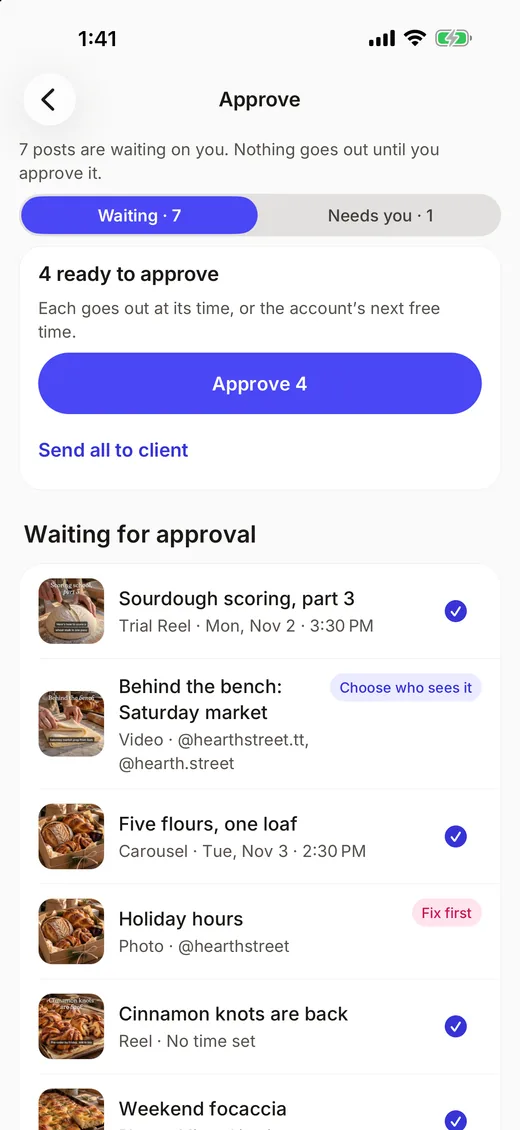
How do clients approve posts?
- Send an approval link. The client watches the video or reads the post in the page and approves or asks for changes, with no account and no seat to buy.
- Clients who approve through a link don’t count toward your plan’s people.
- Once approved, a post goes out at its time or the account’s next free slot.
Getting content from clients
- Send a file request: the client signs in with a free account and uploads, up to 1 GB a file.
- Files land tagged in that client’s media library, and you get a push when they arrive.


Hearth Street Bakery is a made-up example.
Reporting
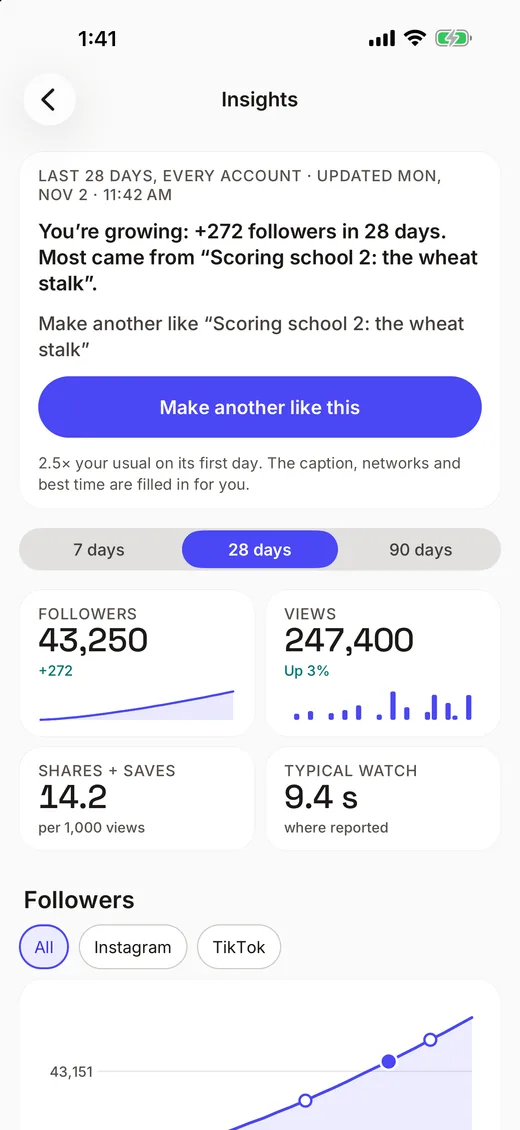
- Share a report as a link: stats, top posts, link taps and bio views, ready to print.
- Insights for each post and account, over time.
Working with an AI assistant
- Connect Claude or ChatGPT and let it draft captions and fill open slots for each client.
- Approvals and posting limits are enforced on our server, so a draft can’t go out without a yes.
Where freelancers start
Client approvals, the calendar and file requests come first. Approval links for clients come with Creator and Studio.
Approvals
Nothing goes out until a person says yes.
- Clients and sponsors approve by link, no seat
- Approve on the web or on iPhone
- Undo most changes for 7 days
Publishing
Ten networks, one calendar.
- A shared calendar with drag to reschedule
- Reels, Stories and carousels
- CSV import, templates and evergreen posts
Media
Files come to you, tagged.
- File requests up to 1 GB a file
- Files land tagged, with a push
- One tap in from Canva
Insights
See what works, then make another.
- Reports anyone can open by link
- Followers, views, formats and best times
- Competitors compared with you
Your AI
Your assistant does the work.
- Claude, Claude Code, ChatGPT and Codex
- You pick the brand and what it may do
- Asks before anything hard to undo
Inbox
Every comment, one inbox.
- Comments from six networks, plus Instagram DMs
- Drafts for every unanswered comment, then Send all
- Keyword replies by direct message
Start free, with no card.
Free for 1 brand, $19 a month for 5, $79 a month for 25. Creator and Studio also add client approval links, shared reports and your own link page design. Questions? Email hello@chockstonelabs.com.