Video format ideas for reels, named from your clips.
A format is a repeatable shape for a video. Chockstone looks at the clips you picked, names the one they fit and lists more that could work.
A shape you can repeat.
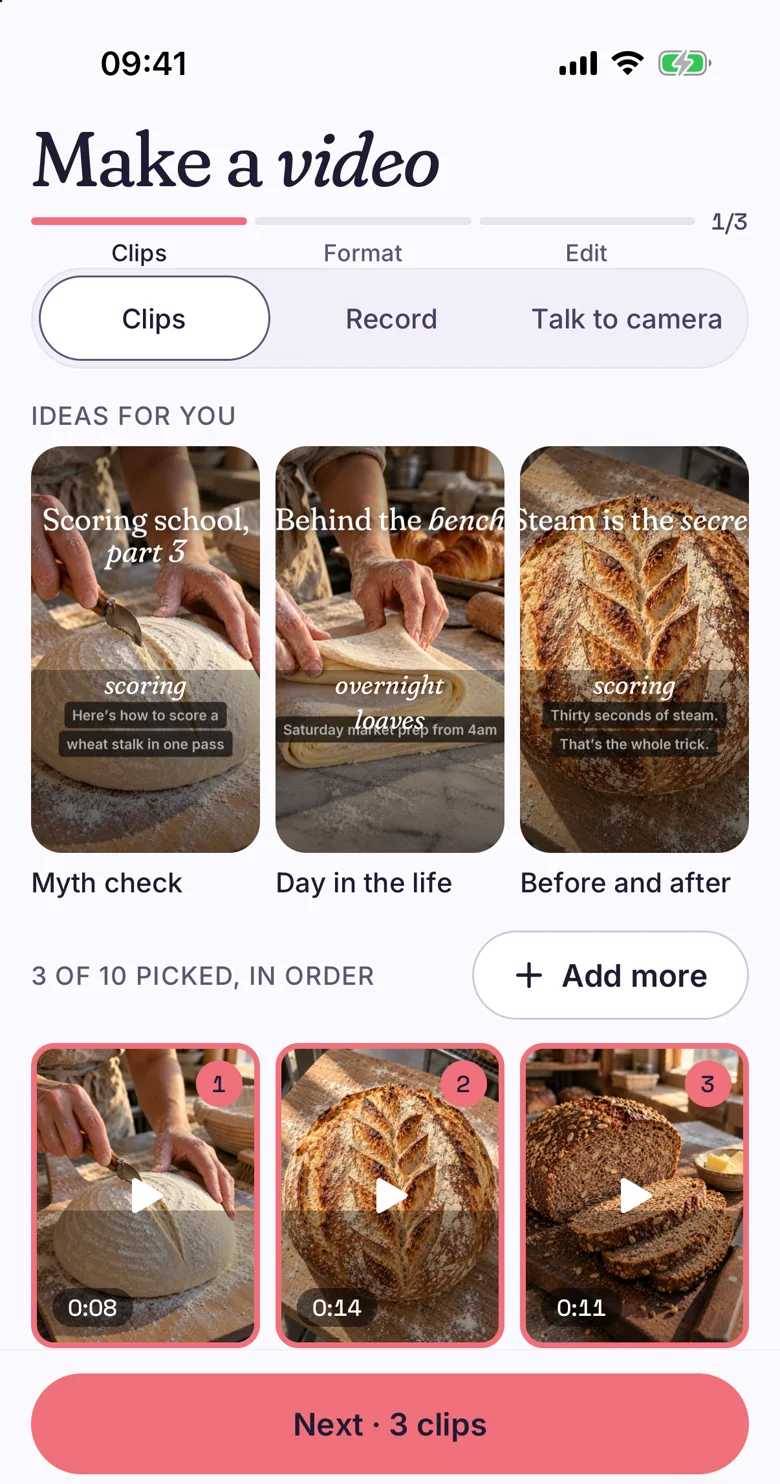
Myth check, Day in the life and Before and after are formats. Each has a usual length, a number of cuts and a way of opening. The same bakery clips can become a Myth check one week and a Day in the life the next.
Ideas for you shows formats as posters at the top of Make, before you pick a clip.
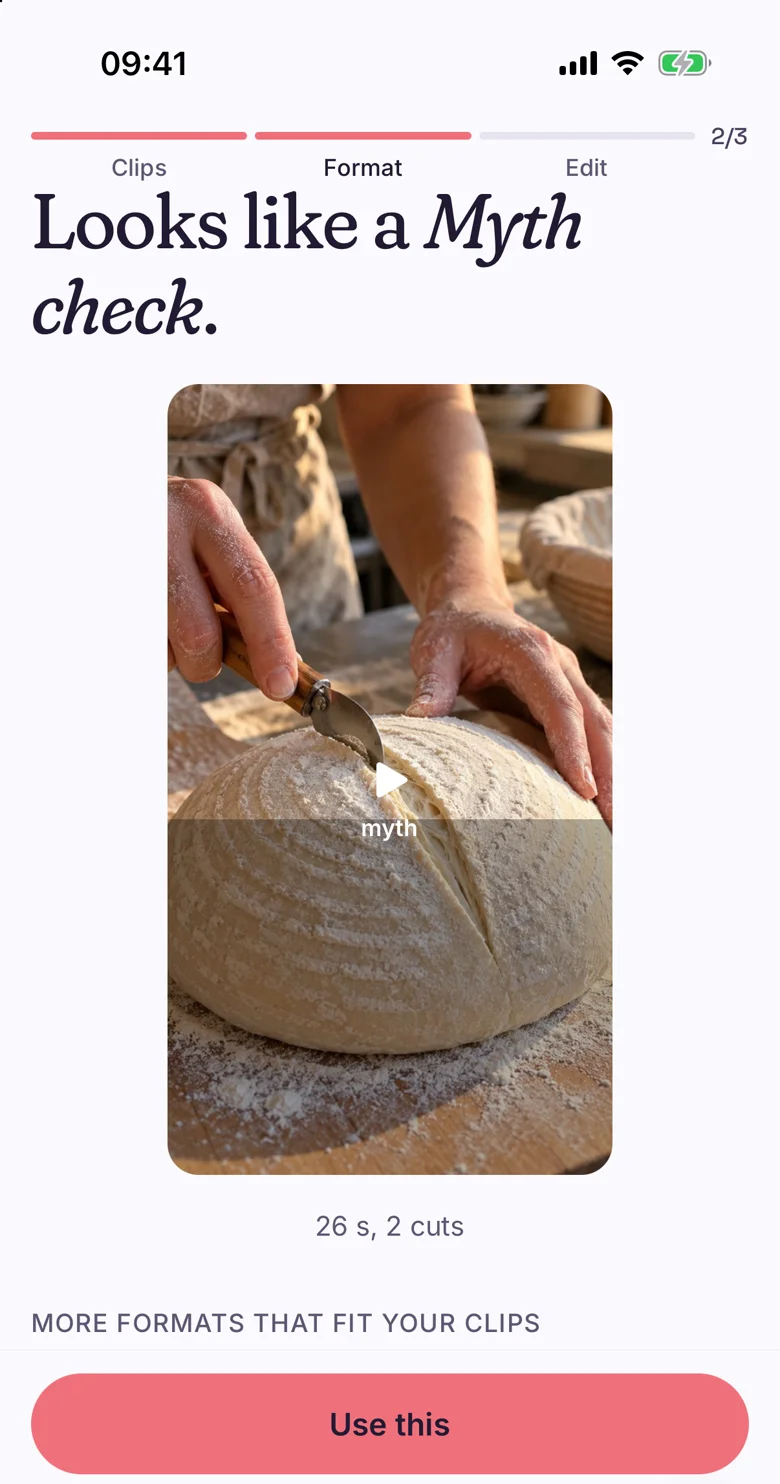
After the clips, one answer.
Pick your clips and the next screen says Looks like a Myth check, with the length and cuts, such as 26 s, 2 cuts. Use this takes it.
Under it, More formats that fit your clips lists others. Filter them by All, Short (under 20 s), Talking, No talking or Trending. Each carries a label: Best fit, Good fit or Could work.
Not seeing yours? Describe it in one line, and Make uses your words.
- All
- Short (under 20 s)
- Talking
- No talking
- Trending
Your own posts and accounts you watch.
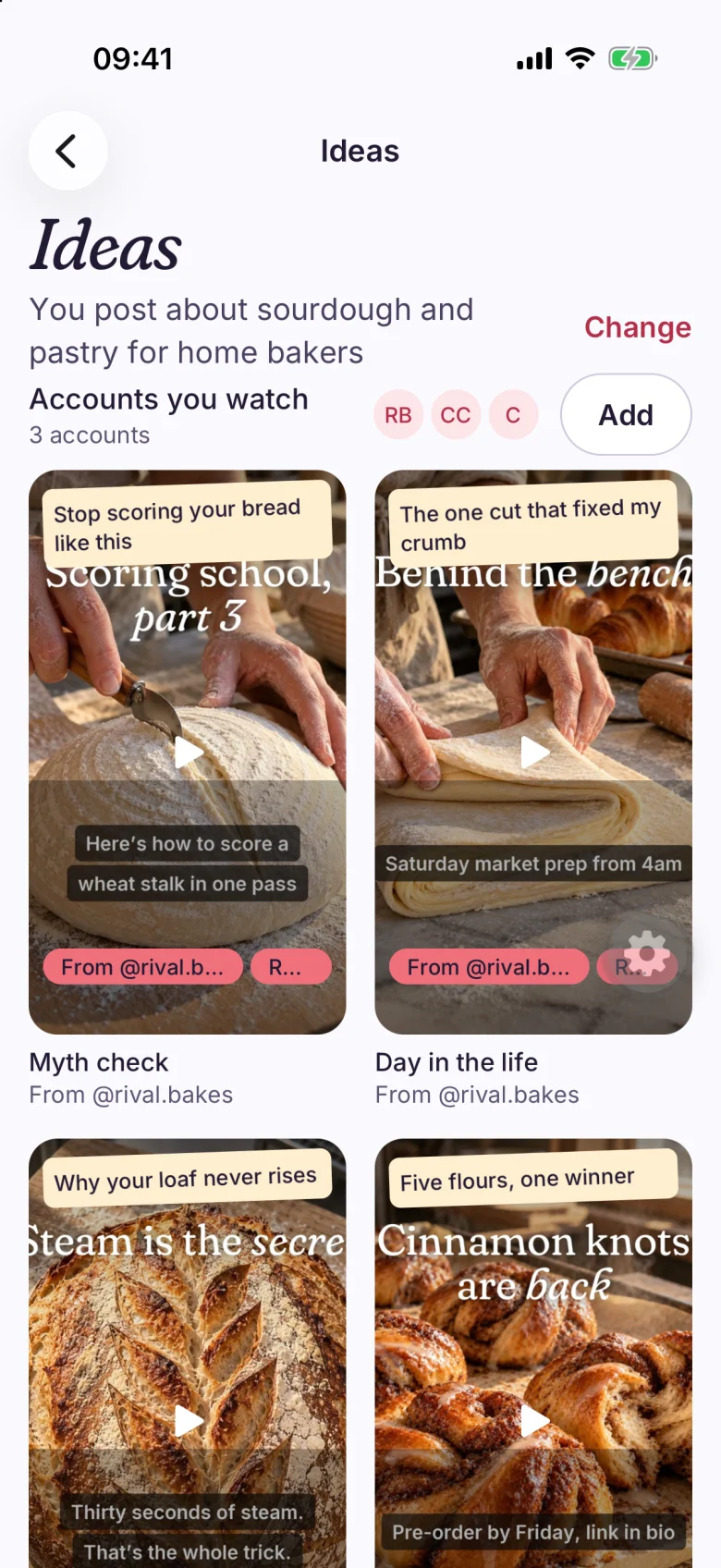
The Ideas screen starts from a sentence about what you post, such as You post about sourdough and pastry for home bakers, which you can change. Formats appear as posters with a caption hook on each.
Add accounts you watch, and a format that works for one of them shows a From @handle tag. The posters carry the format, not their footage.
The format is applied to your clips.
A list of format ideas leaves you to film, cut and caption each one yourself. Here you pick the format and the plan follows from it: cuts, order and captions, with a reason for each.
See it end to end on the Make page.
Read the dated comparisons.
- OpusClipFormats here are chosen for clips you filmed yourself. Read Chockstone and OpusClip
- CardboardFormats here come with the plan and a reason for each cut. Read Chockstone and Cardboard
- CaptionsYou pick a format first, then see the plan before the edit. Read Chockstone and Captions
Questions people ask.
What is a video format?
A repeatable shape for a video, such as Myth check, Day in the life or Before and after. Each has a usual length, a number of cuts and a way of opening.
How does Chockstone pick one?
After you pick clips, Make names the format they look like, with a length and a cut count, and lists more that fit. Each one is labeled Best fit, Good fit or Could work.
What if my format is not listed?
Describe it in a line on the format screen. Make uses your description when it plans the video.
The facts, in one place.
- Does
- Names the video format your clips fit, with its usual length and number of cuts, and lists others that could work.
- Plans
- Included on every plan: Starter, Creator and Studio.
- Limits
- Brands: Starter 1, Creator 5, Studio 25. Connected accounts: Starter 3, Creator 15, Studio 75.
Make your first video today.
Free for 3 accounts. No card. Back to the home page or see every plan limit.